



















 DE
DE  CH
CH  AT
AT 
- TIME FACTORY
- Online Portal
panTerra Online Portal – Dashboard and Overview
Everything at a glance: Navigate effortlessly through your dashboard, find key features at a glance, and get exactly where you want to work in the online portal with just a few clicks.
Table of Contents
- Dashboard Overview
- Camera-Specific Functions (Photo Mode)
- Camera-Specific Functions (Video Mode)
- Image Archive – Grid View (Photo Mode)
Dashboard Overview
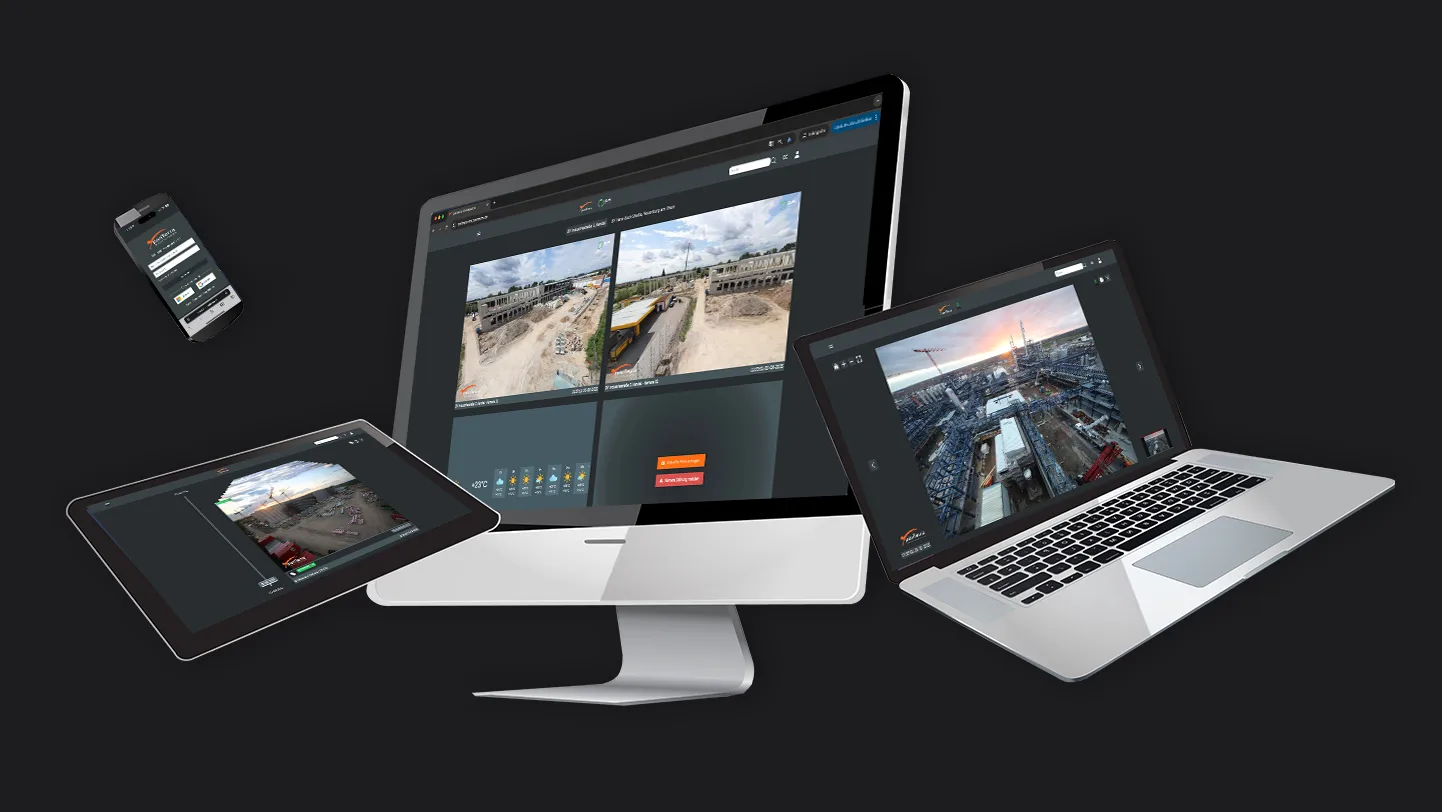
The dashboard of our online portal lets you keep track of all your projects, cameras, and helpful weather information at a glance. It serves as the central control unit for your panTerra camera systems—ideal for marketing, project management, and efficient construction site documentation.
Click the “i” icon to view detailed information about each section:
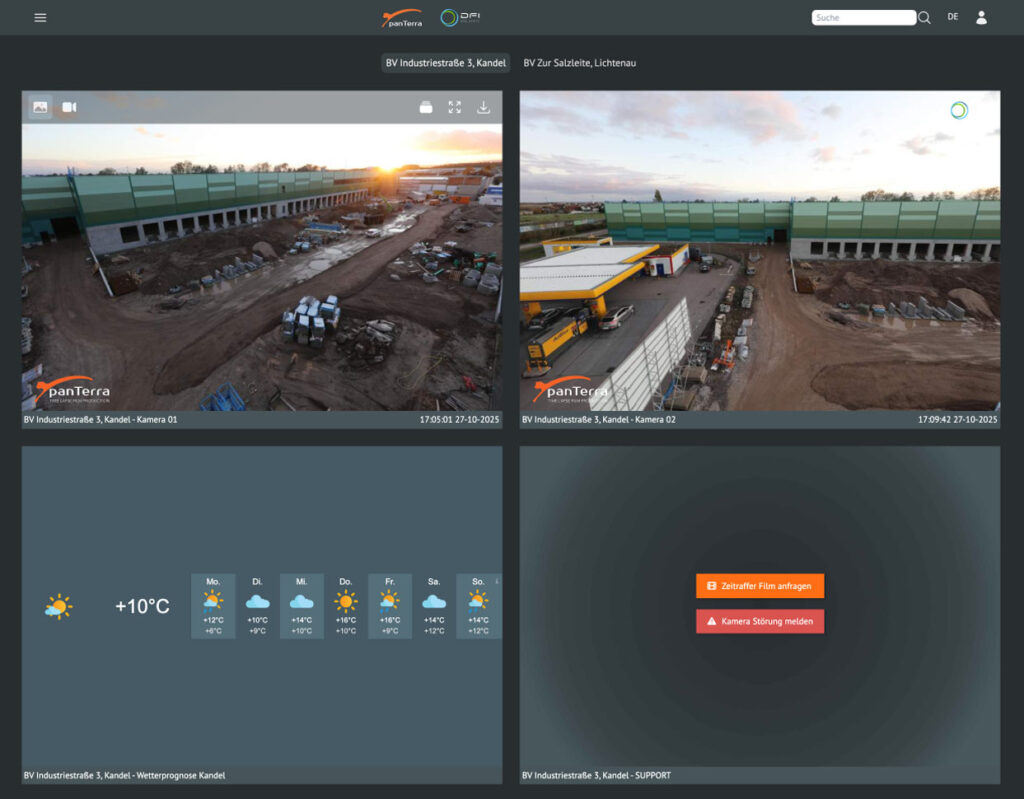
Project settings
Project changers
User menu
Camera tile including live image
Weather widget including forecast
Dashboard View
- Tip: Hover your mouse pointer over an icon in the online portal without clicking—a brief description of the icon’s function will appear immediately. This will help you find what you need faster.
Camera-Specific Features (Image Mode)
All the features of your panTerra camera system at a glance: Jump directly to the image archive, view images in full resolution, and discover even the smallest details in full-screen mode in a matter of seconds. Conveniently download images or switch to video mode to create and download custom time-lapse videos.
With our daily automatic time-lapses, you can also immediately see what was achieved the previous day—perfect for marketing and project management.
Click the i icon to get detailed information about each feature:
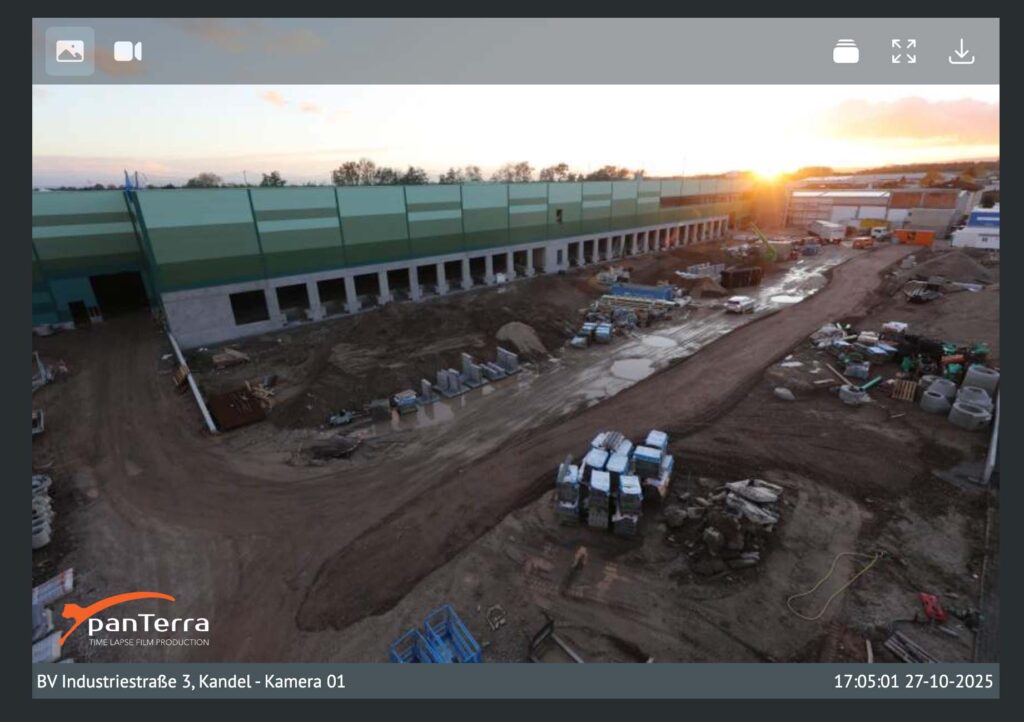
Full screen
Download - current image
Date & time
Camera-specific features | Image mode
- Tip: Hover your mouse pointer over the desired camera tile without clicking—this will open the camera-specific menu with all available functions.
Camera-specific features (Video mode - daily time-lapse)
Click the i icon to view detailed information about each feature:

Camera-specific features (Video mode - Daily time-lapse)
Image Archive - Stack View (Image Mode)
All images since the project started are available here. Navigate easily by scrolling, using the arrow keys, or clicking and dragging on the timeline. To view specific time periods, use the built-in calendar function ➚.
Compare images using our comparison feature ➚, download images, create custom videos using the time-lapse generator ➚, or automate sharing via “Share Content ➚.” You can also tag images ➚ to find important shots even faster later on.
Click the i icon to view detailed information about each section:
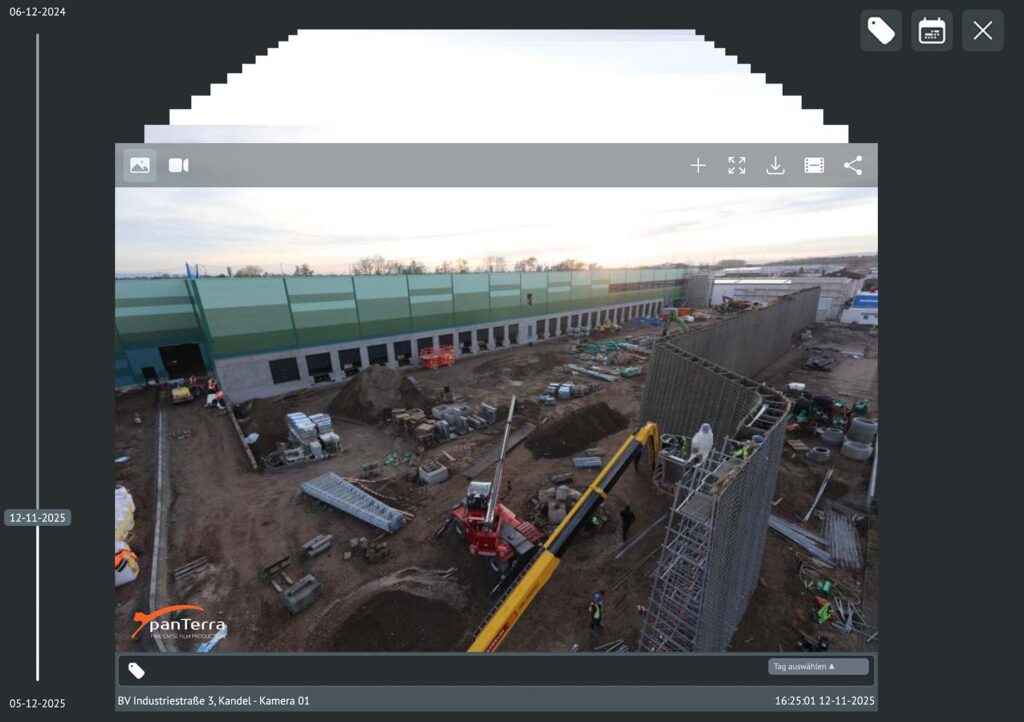
Timeline
Label function ➚
Daily automatic time-lapse ➚
Comparison function ➚
Download current image
Time-lapse generator ➚
Share content ➚
Image Archive - Stack View (Image Mode)
- Tip: You can easily navigate by scrolling, using the arrow keys, or clicking and dragging on the timeline. Scrolling creates a “flipbook-style time-lapse.”
Support & Contact
If you have any questions, our team will be happy to assist you: [email protected]